
Character Generator AI for Original Character Art
Describe a character and get a finished design in seconds: role, silhouette, outfit, palette, expression. Upload a sketch or a photo to carry a design across poses. Trial runs need no account, output starts at 1K on the fast tier and reaches 4K on Pro, and any character you like can be animated into a short clip.
Start with a real example
These are the prompts paired with this page’s examples. Open the generator, choose an example, then adjust one detail at a time.
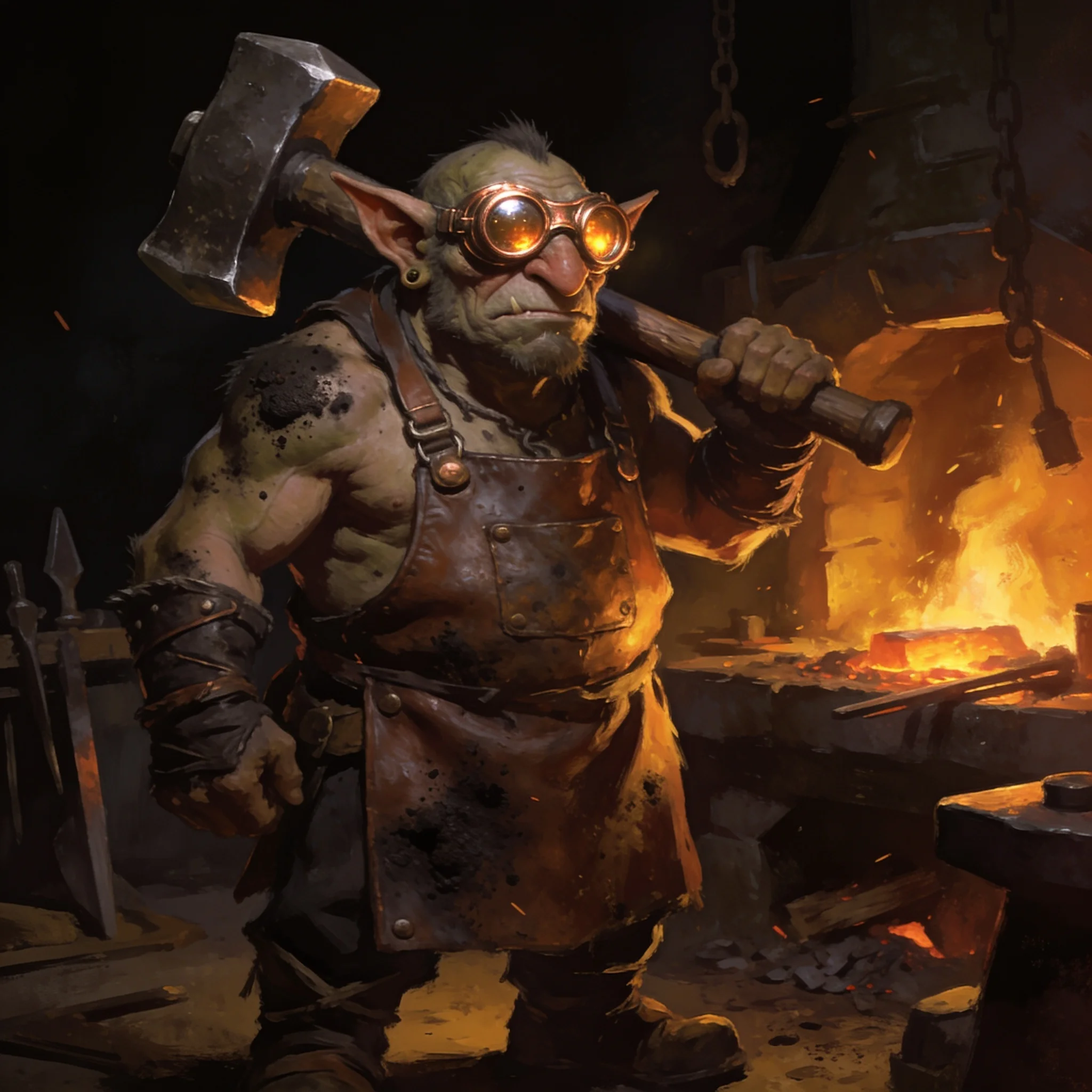
Example prompt 01
A stocky goblin blacksmith with copper goggles and a leather apron, resting a hammer on his shoulder in a forge-lit workshop, painterly game art
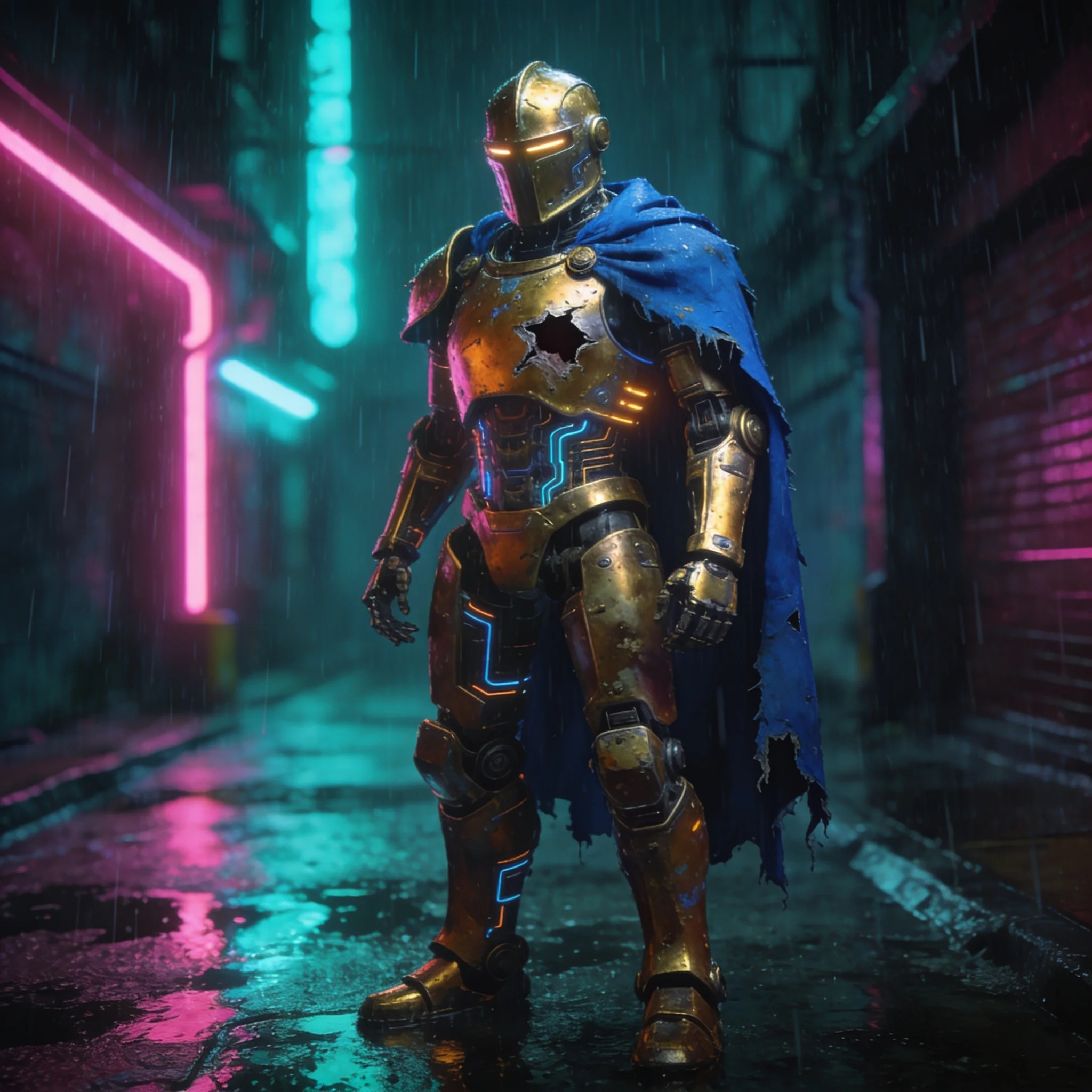
Example prompt 02
A brass robot knight with a dented chest plate and a tattered blue cape standing in a rainy neon alley, cinematic game concept art
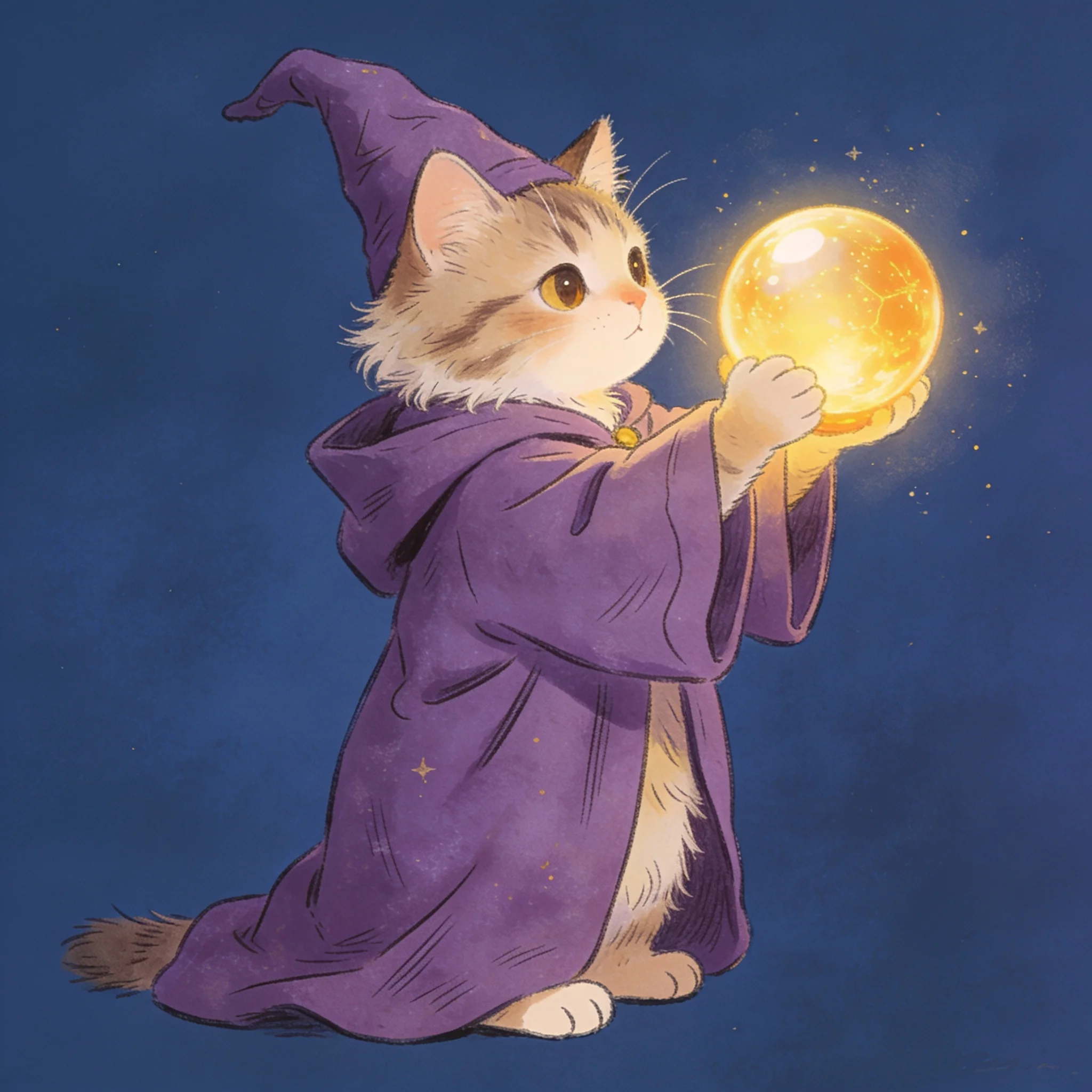
Example prompt 03
A small cat wizard in a purple robe holding a glowing orb, whimsical storybook illustration, plain deep-blue background
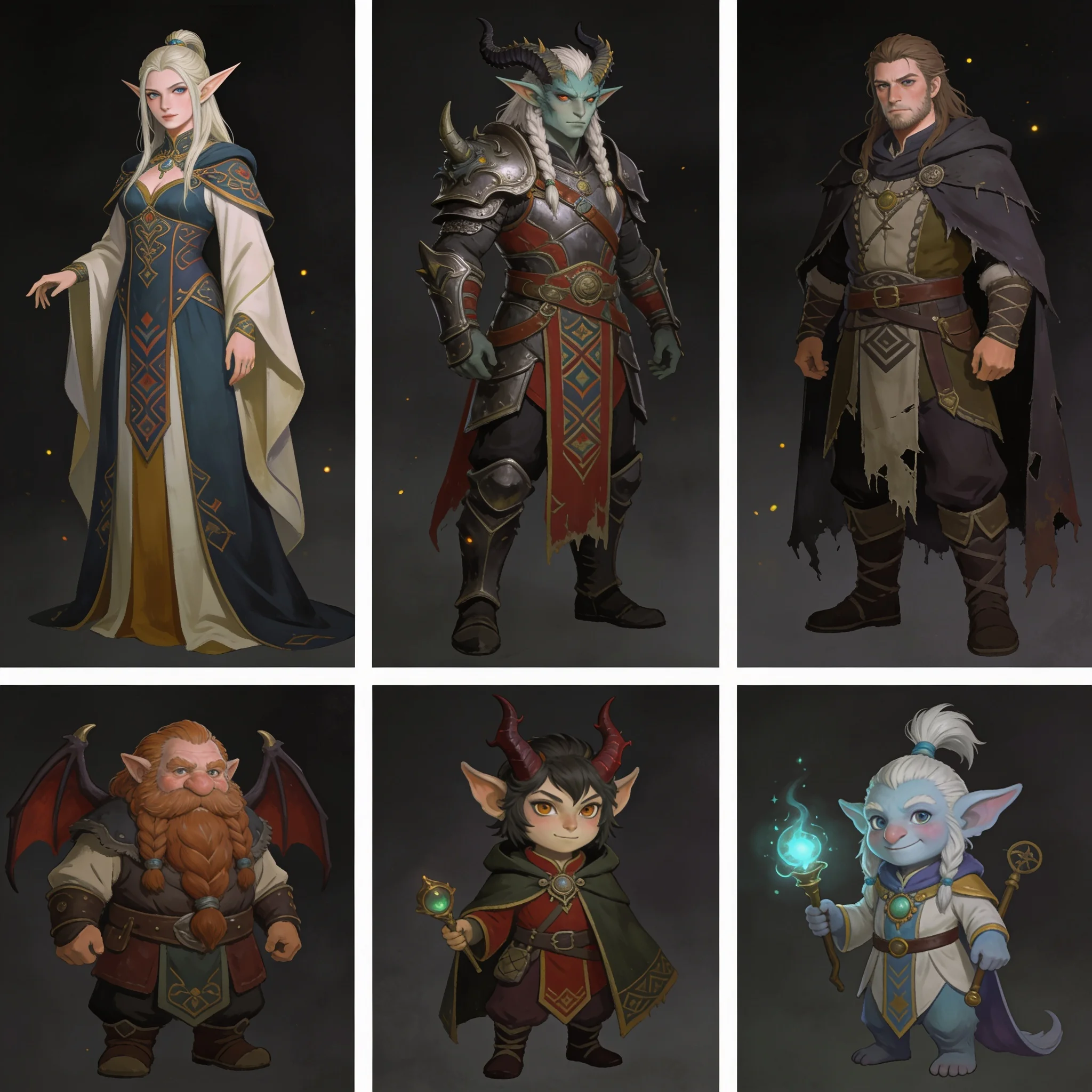
A concept sheet built from six prompts run in the same style and palette
What a Character Generator AI Should Actually Do
Most character tools stop at a pretty portrait. You type an elf ranger, get one striking face, then find that the next render has a different jaw, a different cloak and a different art style. A character generator AI earns its place the second time you use it, not the first. That gap between one good image and a usable character is where most projects stall, and a cast needs a sheet rather than a lucky frame. Our approach makes the first render easy and the second render predictable. The prompt box accepts a full description, so role, build, outfit, palette and mood can all go into one line. It looks like any other AI character image generator at first glance; the difference shows on the second prompt. When you need continuity, upload a reference image or blend several: Lite takes up to 3 reference files and Pro takes up to 14, enough to hold a character, a background and a color key in a single pass. Style matters as much as features. Fantasy concept art, sci-fi armor, anime, cartoon, pixel art and watercolor each read differently at thumbnail size. A token on a character sheet needs different framing than a splash illustration. Every render lands at 1K on Lite or up to 4K on Pro, and any still can move into the video tool for a short clip with one clear movement.
What You Get
Text-to-Character
Start from a sentence. Name the role, the build and the outfit, then add light and style. A detailed prompt holds more of what you asked for than a two-word tag, and the box accepts a full paragraph.
Reference and Blend Control
Upload a drawing, a photo or an earlier render to carry a design forward. Blend mode compares several references at once, which is the closest thing to a character sheet: face from one file, outfit from another, palette from a third. An AI character generator that only reads text makes you re-describe the design every time, and every re-description drifts.
A Wide Style Range
Fantasy concept art, anime, cartoon, pixel art, watercolor, painterly game art and clean vector looks. Pick a style per render. When a set has to sit side by side, a consistent style beats a fancy one every time.
Framing That Fits the Use
Portrait, full body, square token and widescreen splash. Set the ratio before you render, since a crop afterward throws away pixels you already paid for. Square 1:1 suits tokens and profile art, a tall frame suits full figures.
Tiers From 1K to 4K
Lite renders fast at 1K, which is plenty for thumbnails and iteration. Pro is slower and reaches 2K and 4K for print, posters and store art. Texture, edge detail and distant elements are where the extra resolution shows.
Characters That Move
Send a finished still to the video tool and describe the motion: a head turn, a cloak lifting, drifting embers. Clips run four to eight seconds, long enough for a reveal, a loop or a short social post.
How It Works
Describe the Character
Write the role first, then the silhouette, then the outfit. A broad-shouldered orc cartographer in a salt-stained coat, brass compass, overcast light gives the model a body and a job. Vague mood words alone leave the composition to chance.
Pick a Style and a Frame
Choose the look, then the aspect ratio. Square for tokens and avatars, tall for full figures, wide for scenes. Set it before rendering, because resizing later costs detail.
Add a Reference If You Have One
Upload a sketch, a photo of a prop or an earlier generation. Blend several references to lock a face, an outfit and a palette into one design. Skip this step on a first draft and add it once you like the direction.
Download, Then Animate
Save at the highest resolution you need, then send the still to the video tool if the character should move. A four second clip with one clear camera or body movement usually beats a busy one.
What People Make With It
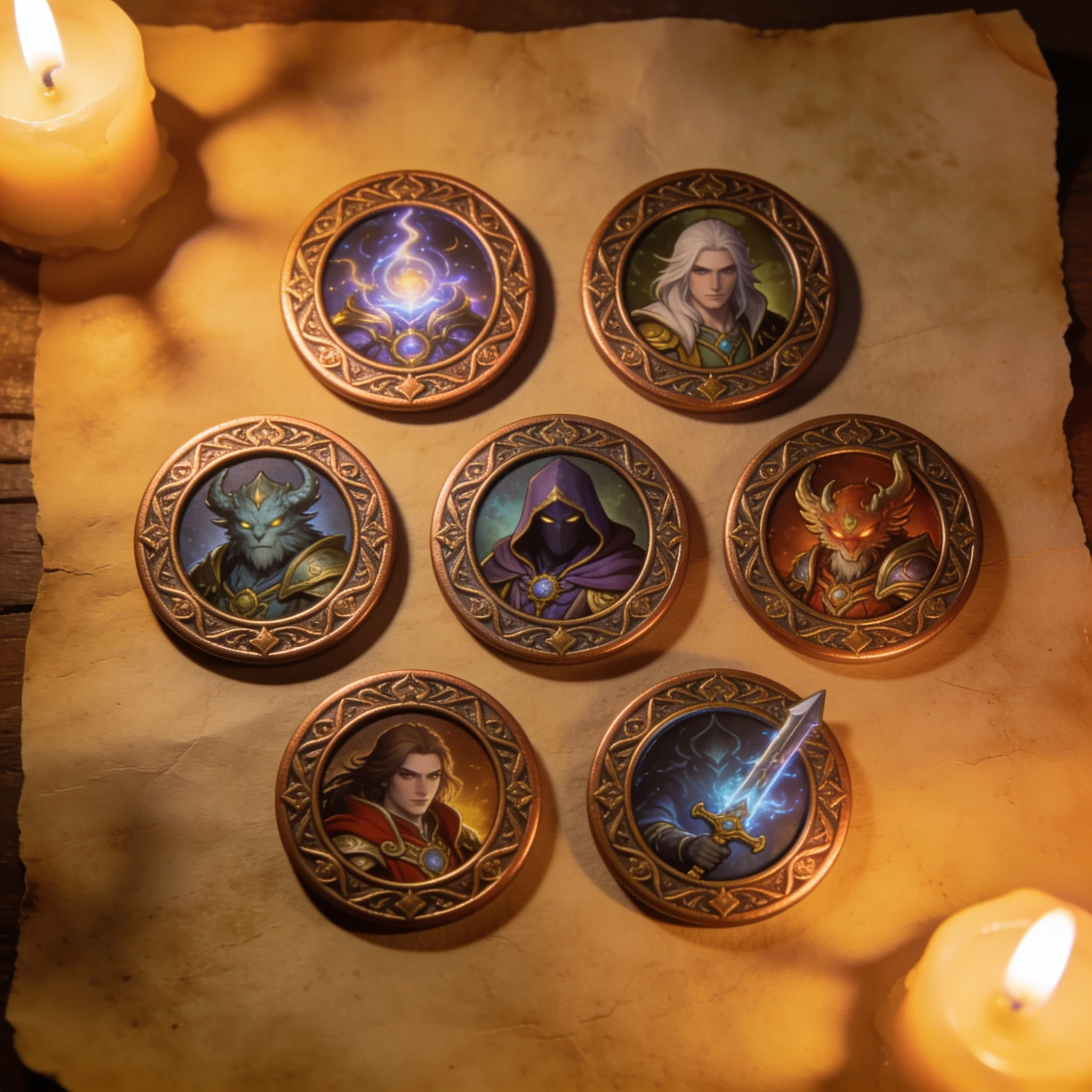
Tabletop and RPG Portraits
A party of four needs four designs that look like they share a table. Render each character with the same style and palette words, then crop to a square token. Print, screen and virtual tabletop all work from the same file.
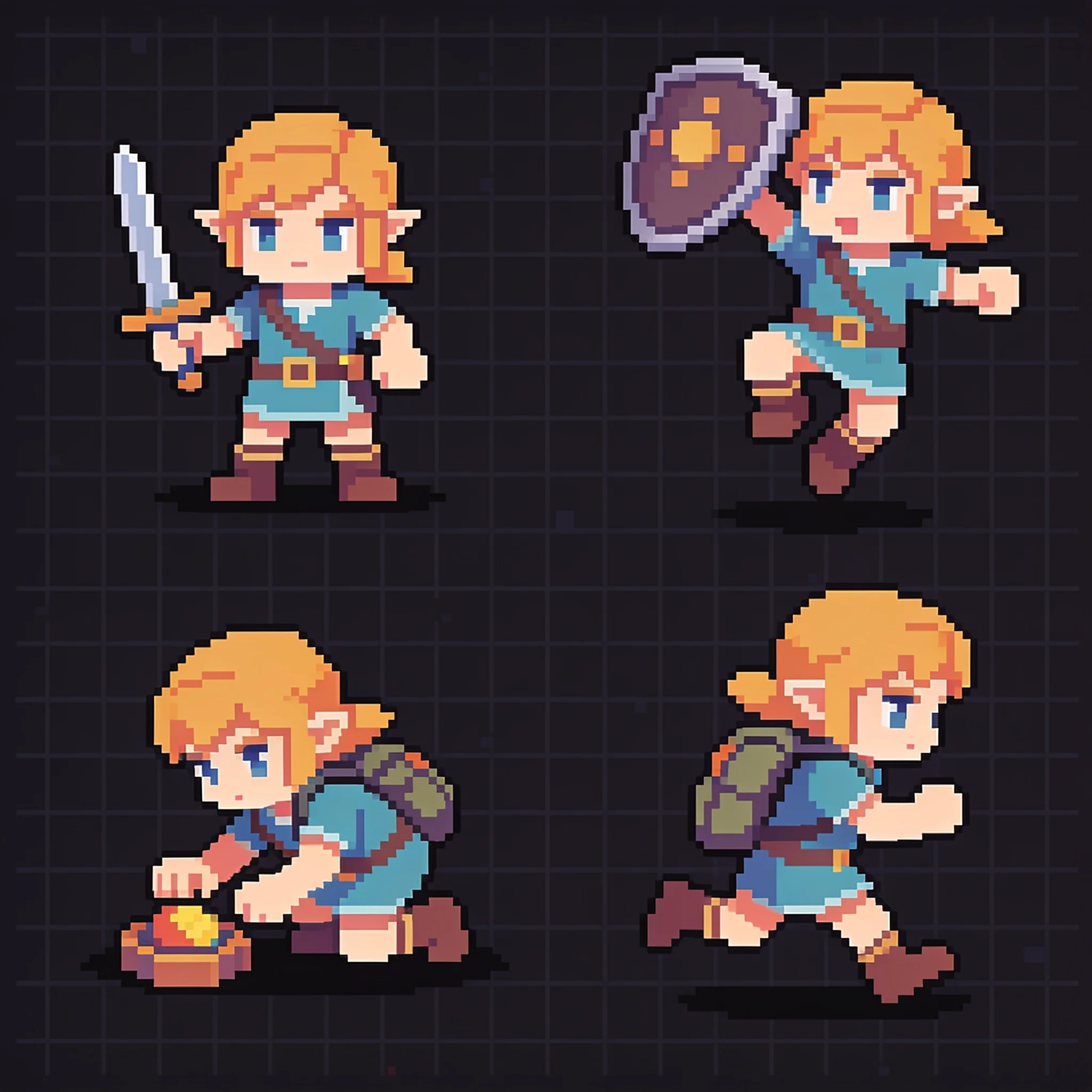
Indie Games and Sprite References
Concept a cast before an artist builds it. A front view, a side view and a few expressions give a sprite artist something to trace. Pixel and painterly styles both convert into usable game references.
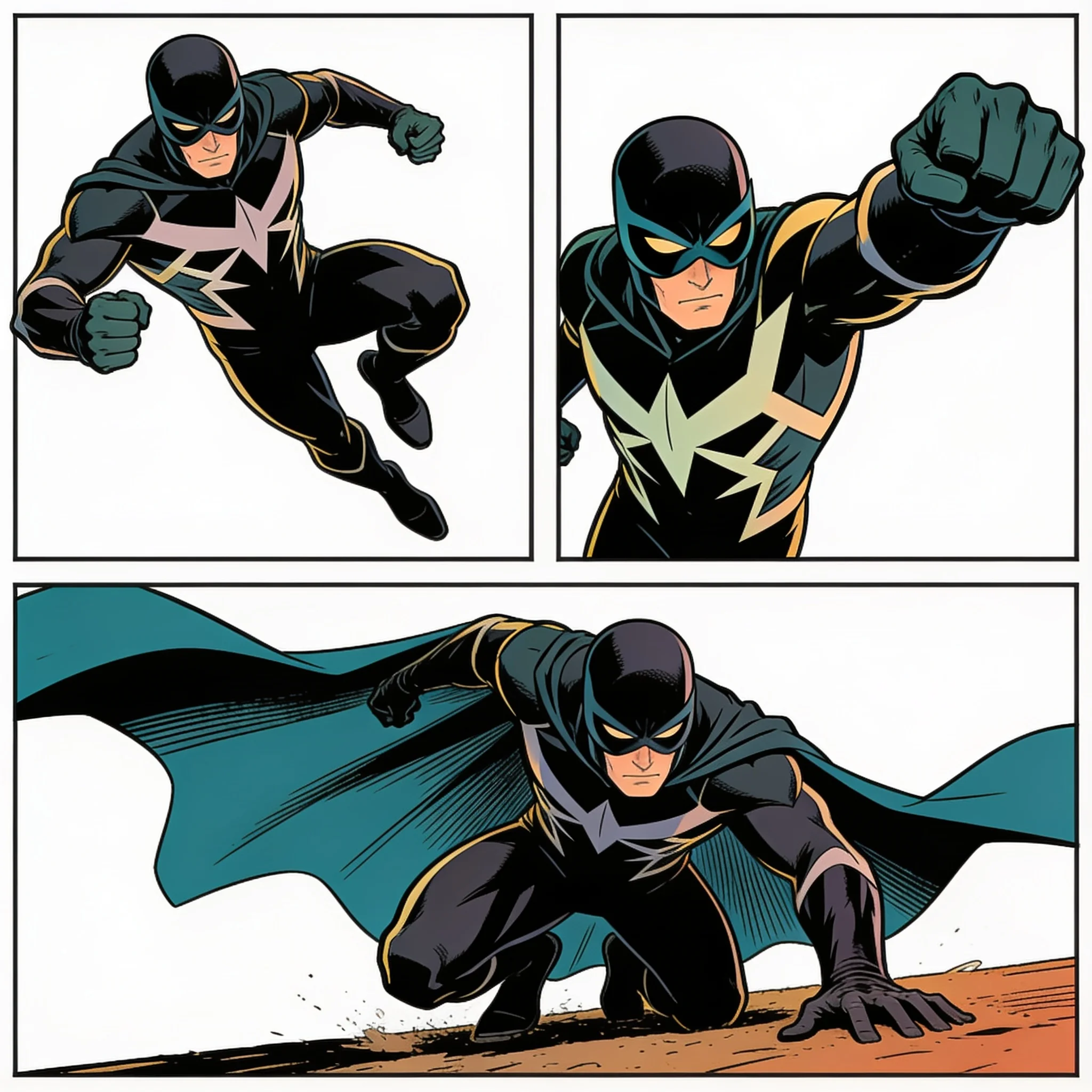
Comics, Webtoons and Illustrated Stories
Build a look for each cast member, then reuse the same reference across panels. Blend mode keeps a face close enough that readers know who is speaking before they read the bubble.
Original Characters for Roleplay
OCs, fan-style characters you have the rights to use, and personas for tabletop, forums or interactive fiction. Generate a sheet once and the character stays recognizable in every scene you place them in.
Explore related tools
Choose the tool that matches your next step.
Prompt Habits That Keep a Character Consistent
A character generator AI is only as consistent as the words you feed it. The four habits below do most of the work, and each one is testable in a single render. None of them need special syntax or a paid add-on.
Fix the Order
Role, build, outfit, palette, expression, light. Keep that order in every prompt for the same character. Early tokens carry more weight, so the role lands first and the lighting refines it.
Name Three Colors
A palette of three or four named colors survives a style change better than ten. Weathered teal, brass and oxblood travels across renders. Lots of colors does not.
Keep a Character Bible Line
Save the one sentence that defines the character and paste it into every prompt before adding anything new. This is the cheapest consistency control there is, and it costs nothing but a note.
Iterate One Variable
Change a single element between renders: the jacket, the lighting, the pose. Two changes at once and you cannot tell which one moved the result. Fast 1K renders make this cheap to test.
Design a Character That Holds Up
Describe a character, pick a style and render it in about a minute. No account needed to start.