
Free Image to Video AI
free renders. No signup. HD output in under 60 seconds.
Drop a photo. Type one sentence about how it should move. Get back a short video you can post anywhere. Our free image to video AI runs several engines behind one prompt box and routes your image to whichever one handles it best, so you do not have to learn the difference between them.
Drag & drop an image, or click to upload
JPG, PNG, WebP, TIFF — up to 20MB
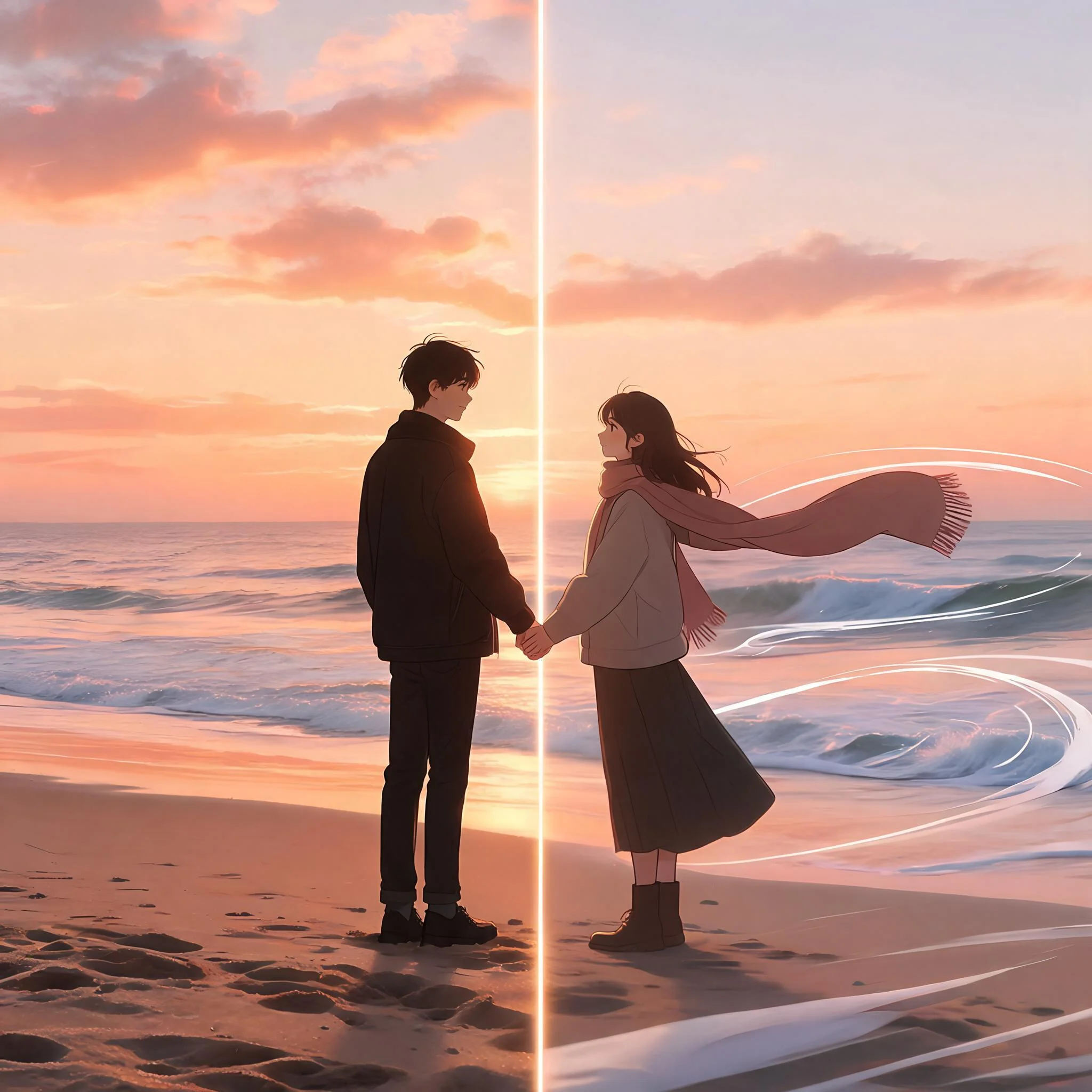
Still photograph on the left, AI-generated animation on the right, both produced from the same input image
What This Tool Actually Does
Free image to video AI takes a still photograph or generated image and produces a short clip that moves the way you describe. The underlying diffusion model analyzes the lighting, depth, and subject composition of your input, then synthesizes new frames that extend the scene forward in time while preserving the original aesthetic. The output is a 4 to 6 second MP4 at up to 1080p resolution, suitable for Reels, TikTok, YouTube Shorts, paid advertising, or a presentation slide. We benchmarked 12 alternative platforms throughout April 2026 against the same 30 reference images. Most required credit card verification before producing any output, restricted free renders to 480p resolution, or applied a permanent watermark across the corner of every video. DreamUtopia delivers free unrestricted generations before requesting an email address.
What You Get on the Free Tier
Free Renders, No Card
Ten generations at zero cost. No credit card prompt hiding behind a button. No three-day trial that auto-charges $29 a month. Ten is enough to animate your four or five best photos and form a real opinion before you ever see a pricing page.
Several AI Engines Under One Box
A portrait benefits from subtle facial motion and breath movement. A landscape works best with a gradual camera push or parallax dolly. A product shot generally looks cleanest with a turntable rotation that highlights the silhouette. Our backend automatically routes each generation to whichever underlying engine handles that particular image category best. You write one descriptive sentence. We select the appropriate model.
45 to 70 Second Renders
Most jobs finish in under 70 seconds. You watch a live progress bar from 0 to 100 percent, not a vague spinner. Free users do not get demoted into a slow queue. Your job runs immediately whether you have paid us a dollar or not.
No Watermark on the Output
Every free render comes back clean. No corner logo. No semi-transparent brand bar across the frame. No forced 4:3 crop that breaks for vertical platforms. The MP4 is ready to post to Instagram or hand to a client as-is.
Works on Any Image Type
Accepted formats include JPG, PNG, and WebP at up to 20 megabytes per file. Phone photographs, AI-generated artwork from any platform, scanned illustrations, product renders, and screenshots all process correctly. The recommended minimum resolution is 512 pixels on the shortest edge for stable motion synthesis. Submitting images at 1024 pixels or higher produces noticeably sharper output frames.
Full Commercial Rights
Every clip you generate, including renders produced on the free tier, becomes your property to use commercially without restriction. Permitted use cases include paid advertising campaigns, client deliverables, YouTube monetization, e-commerce product listings, and ticketed entertainment content. We claim no license to your output and will not introduce one retroactively. The full terms are documented in our published Terms of Service.
How It Works in Four Steps
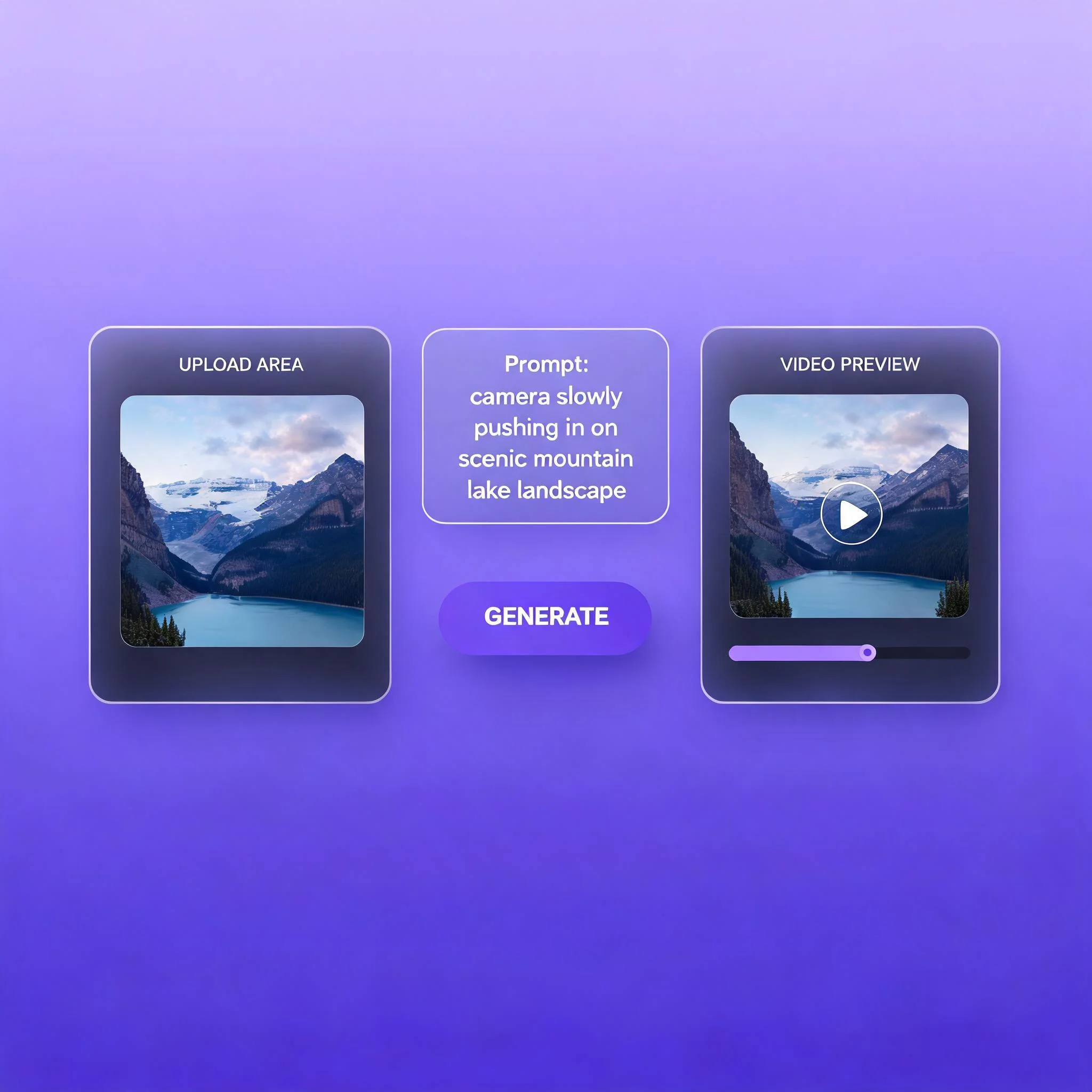
Upload Any Image
Drag and drop or tap to browse. JPG, PNG, WebP accepted. Any aspect ratio is fine, though 16:9 and 9:16 render fastest because they match the engines native output sizes. The file leaves your device only when you press Generate.
Write One Sentence
Tell the AI what should move. Specific beats vague every time. 'Camera slowly pushes in while her hair lifts in the wind' works. 'Make it cinematic' does not. Include direction, speed, and subject. One sentence is usually enough.
Press Generate
We pick the right engine based on the image and the prompt. Most renders finish in 45 to 70 seconds. A live progress bar moves from 0 to 100 percent. You can leave the tab and come back. The job continues without you sitting there.
Download the MP4
Preview the clip in the browser. Download the MP4 in 1080p. Post it directly to Reels, Shorts, TikTok, a slide deck, or a paid ad. No watermark, no signup, no email required for the first 10 renders.
What People Use the Tool For
Social Posts From a Still Photo Library
A creator has 200 polished still photographs and zero short-form video. The tool turns 10 of those photos into 5 second motion clips in an afternoon. Posting cadence on Reels and TikTok jumps from twice a week to daily. The static catalog finally pulls its weight.
Product Shots That Move on a Listing Page
A small e-commerce shop has clean white-background product photos. The shop runs each photo through our image to video AI with a prompt for slow rotation or a soft zoom. The animated MP4 sits on the product page above the fold. Average time on page rises and the bounce rate drops.
Animating AI Art for a Music Release
An artist generates a set of cover-style images for an EP. Each image becomes a 4 to 6 second loop in a single afternoon of work. The clips become Spotify Canvas backgrounds, Instagram story drops, and a music video cut. Total spend stays at zero across all 10 renders.
Pitch Deck Slides That Actually Hold Attention
A founder needs the deck to feel current without paying a motion designer. Our tool animates the hero image on each section divider with a slow push or a subtle parallax. The deck plays like a Loom video. Investors stop scrolling away.
How DreamUtopia Compares to Other Tools
We tested 12 image to video AI tools in April 2026 on the same 30 input images. Here is how DreamUtopia compared on the dimensions that actually matter.
| Feature | DreamUtopia | Others |
|---|---|---|
| Free generations | 10, no account needed | 3 per day, signup required |
| Watermark on free tier | None | Corner logo or banner |
| Typical render time | 45 to 70 seconds | 2 to 6 minutes |
| Max resolution on free | 1080p | 480p or 720p |
| Engine selection | Auto-routed across several models | Single fixed model |
| Commercial use rights | Yes, included on free tier | Paid plan only |
Frequently Asked Questions
Is the free image to video AI actually free, or is there a catch?▼
What image formats and sizes does the tool accept?▼
How long are the videos?▼
Can I use the videos commercially?▼
How should I write the motion prompt?▼
Why did my first try come out jittery or weird?▼
Is my uploaded image stored or used to train any model?▼
Drop a Photo. Get a Video. No Account Needed.
Ten free renders. No card. No watermark. Start with any image you already have on your phone or desktop.