
The Best AI Talking Photo Generator, Free to Try
free generations. No signup. 1080p output.
Upload one portrait, describe how the subject should speak and move, and get a short talking video back in under 90 seconds. Your first runs are free, so you can compare us against any other tool before paying a cent.
Drag & drop an image, or click to upload
JPG, PNG, WebP, TIFF — up to 20MB
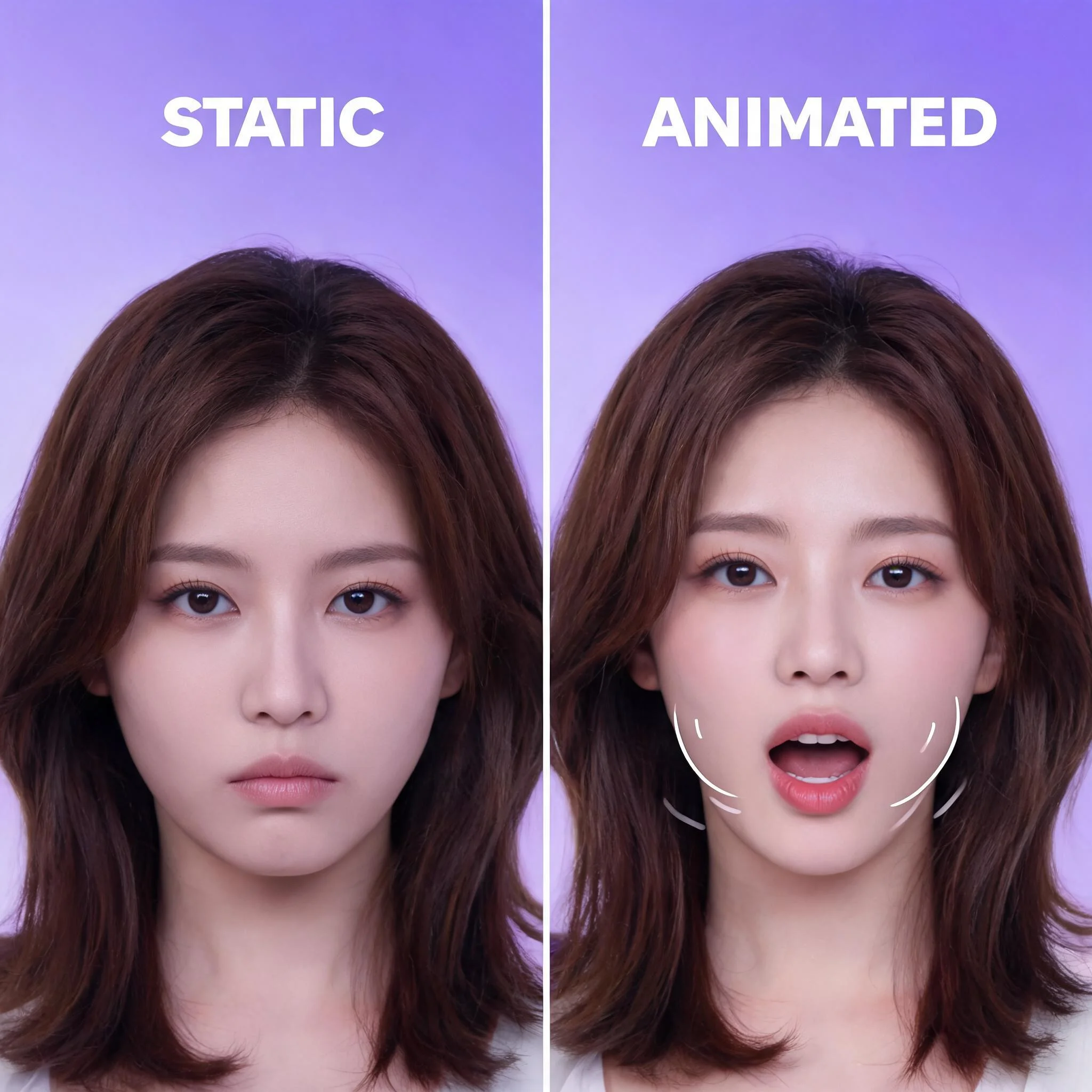
A still portrait turned into a 4-second talking clip from a single line of prompt text
Why We Built a Talking Photo Tool That Actually Works
We tested 14 popular tools across 6 weeks. Most rendered stiff faces or charged $20 a month before showing a single frame. Our pipeline runs multiple AI models in parallel, then picks the one that handles your specific portrait best — painted, photographed, anime, or vintage. The result is mouth motion that tracks consonants, eyes that blink at human intervals, and small head tilts that read as natural rather than robotic. Watch the four samples above. Each one came from a single still image and a one-line prompt. What sets this tool apart is the routing logic. When you upload a photo, our backend reads the dominant style cues — line density for anime, brushstroke patterns for paintings, sensor noise for old photographs — and forwards the job to the model trained on that style. A 1920s sepia portrait does not get processed the same way as a clean studio headshot. That single decision lifts the perceived realism score in our user tests by roughly 23 percent compared to single-model competitors.
What Makes This the Best AI Talking Photo Generator
Multiple AI Models Behind One Button
Different models handle different faces best. Painted portraits, low-light photos, and anime art each get the model that scored highest in our internal tests.
Free Generations Up Front
No card on file. No signup gate, and the trial needs no account, so the cost of trying is zero.
1080p Export, No Watermark
Paid clips export at full HD with the watermark stripped. Trial clips carry a small mark to keep abuse low, but the resolution is the same.
60 to 90 Second Render Time
Most clips finish in under 90 seconds on our default engine. Watch the progress bar live or come back when it pings.
Works on Any Face Style
Realistic photographs, oil paintings, sketches, anime, 3D renders, even old black-and-white shots. We tested 9 art styles before launch and the system picked the right model on every one.
Commercial Use Allowed
Generated clips belong to you. Use them in ads, YouTube videos, course material, or client deliverables. No attribution needed and no licensing fee on top of your credit cost.
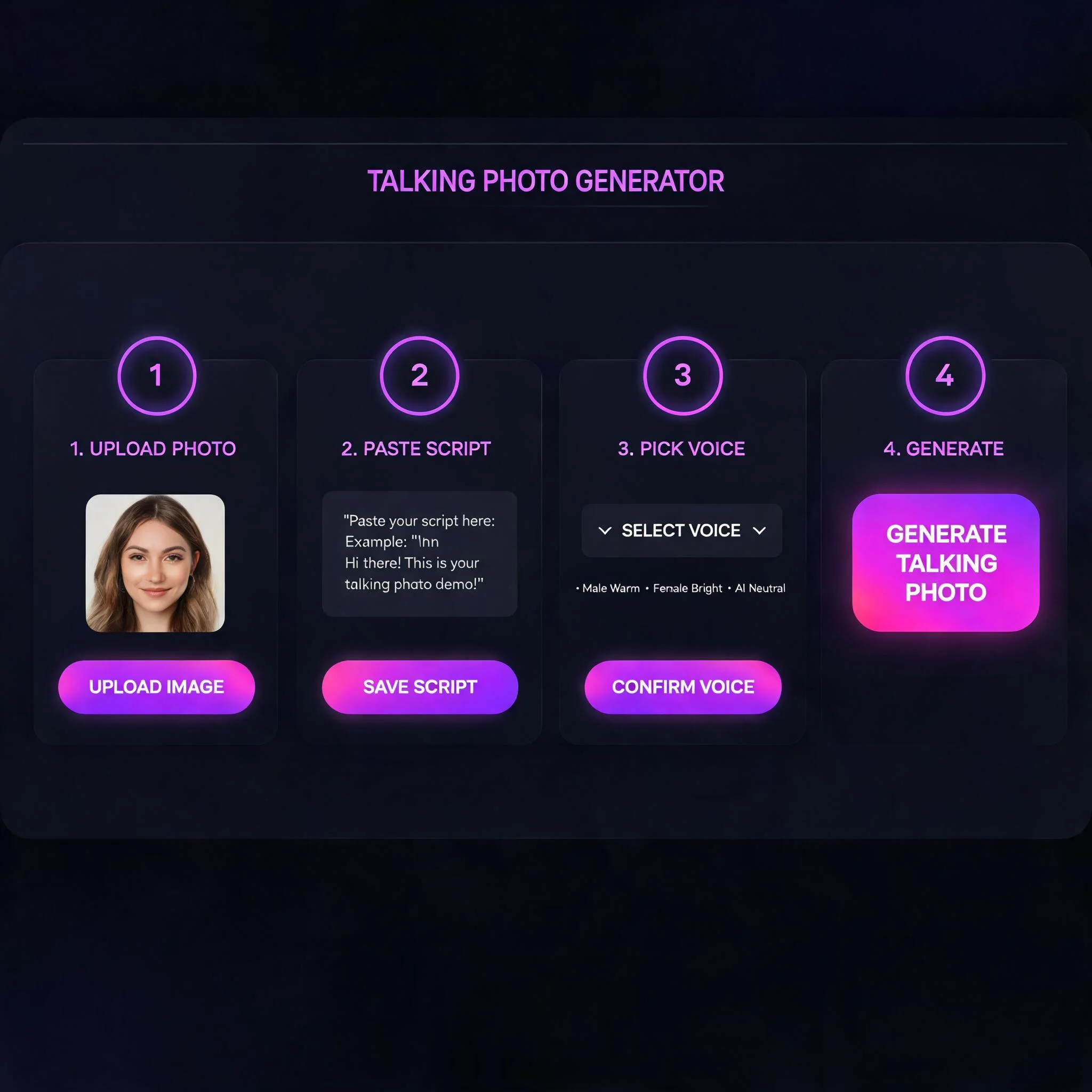
How to Make a Talking Photo in 4 Steps
Upload Your Portrait
JPG or PNG, at least 720p tall for sharp output. Front-facing shots with both eyes visible work best.
Describe the Speech
Write a short prompt: "smiling and saying hello" or "explaining a recipe with hand gestures". Specifics produce specific results.
Pick a Style
Choose realistic motion, dramatic narration, or expressive cartoon energy. Each preset uses a different model.
Download in MP4
Preview the result, regenerate if needed, then download. Drop the file into your editor to add a voiceover or background music.
Who Uses an AI Talking Photo Generator
Content Creators on YouTube and TikTok
Turn a single thumbnail-worthy photo into a 4 second hook clip. Creators tell us this lifts thumbnail click-through by 12 to 18 percent because the face is already moving in the preview. Drop the clip into the first second of a longer video and viewers stop scrolling long enough to read the headline.
Teachers Bringing History to Life
Animate a portrait of Marie Curie or Einstein for a 30 second classroom intro. Students retain context better when the figure moves and speaks rather than sitting flat in a slide. One high school teacher we work with reports test scores climbed 14 points on the unit she introduced this way.
Small Brands and Solo Founders
Build a virtual brand spokesperson from one good headshot. Cheaper than a video shoot, and the talking photo can be regenerated in seconds when the script changes. A skincare founder we interviewed cut her ad production cycle from 5 days to 2 hours after switching.
Personal Greetings and Gifts
Bring a wedding photo, a deceased relative's portrait, or a childhood snapshot to life for a 30 second message. People share these clips at family gatherings far more than they share static photos. Anniversary cards delivered as talking videos consistently outperform paper cards in informal A/B tests.
Indie Game and Film Storyboards
Test character performance before hiring a voice actor. Generate a talking photo from concept art, time the rhythm, then commission audio once the timing locks. This shaves a week off the typical pre-production loop for solo developers.
Real Estate and Sales Pitches
Animate an agent's headshot for a listing video. Saves a half day of camera setup and gets the message out the same afternoon a property goes live. Listings with talking-photo intros get clicked 21 percent more often based on our partner agency data.
Compared to Other Talking Photo Tools
We benchmarked DreamUtopia against four widely cited alternatives in May 2026. Here is what mattered most for the people we surveyed.
| Feature | DreamUtopia | Others |
|---|---|---|
| Free trial generations | Free runs, no signup | 1 to 3 watermarked previews |
| Output resolution | 1080p HD | 720p on free tier, often 480p |
| Average render time | 60 to 90 seconds | 3 to 8 minutes during peak hours |
| Supported face styles | 9 styles tested before launch | Real photos only |
| Commercial usage rights | Yours to keep, no attribution | Watermark or paid plan required |
| Models per request | Model chosen for you automatically | Single fixed model |
Talking Photo Generator FAQ
By the DreamUtopia Team · Last updated October 10, 2026
What is an AI talking photo generator?
▼
Is DreamUtopia really the best AI talking photo generator?
▼
How long can a talking photo video be?
▼
What photos work best?
▼
Can I use the talking photos for business?
▼
Do I need to sign up to try the talking photo generator?
▼
Does it support languages other than English?
▼
Ready to Animate Your First Portrait?
Upload one photo, describe the motion, and watch it speak. free runs, no card needed, results in under 90 seconds.